Skip to content
ChangeGuard

Researchers, journalists, analysts and records clerks

Public records and filings monitoring: Know when a new filing, notice or report appears.

Filings, dockets, minutes and data releases land on their own timetable, and the index page is the only notice you get.

Watch the index page and be told when a new document appears, with its title and date.

Free for 5 pages. No card needed.

What a check caught

U.S. Patent and Trademark Office · USPTO fee schedule (opens the page in a new tab)

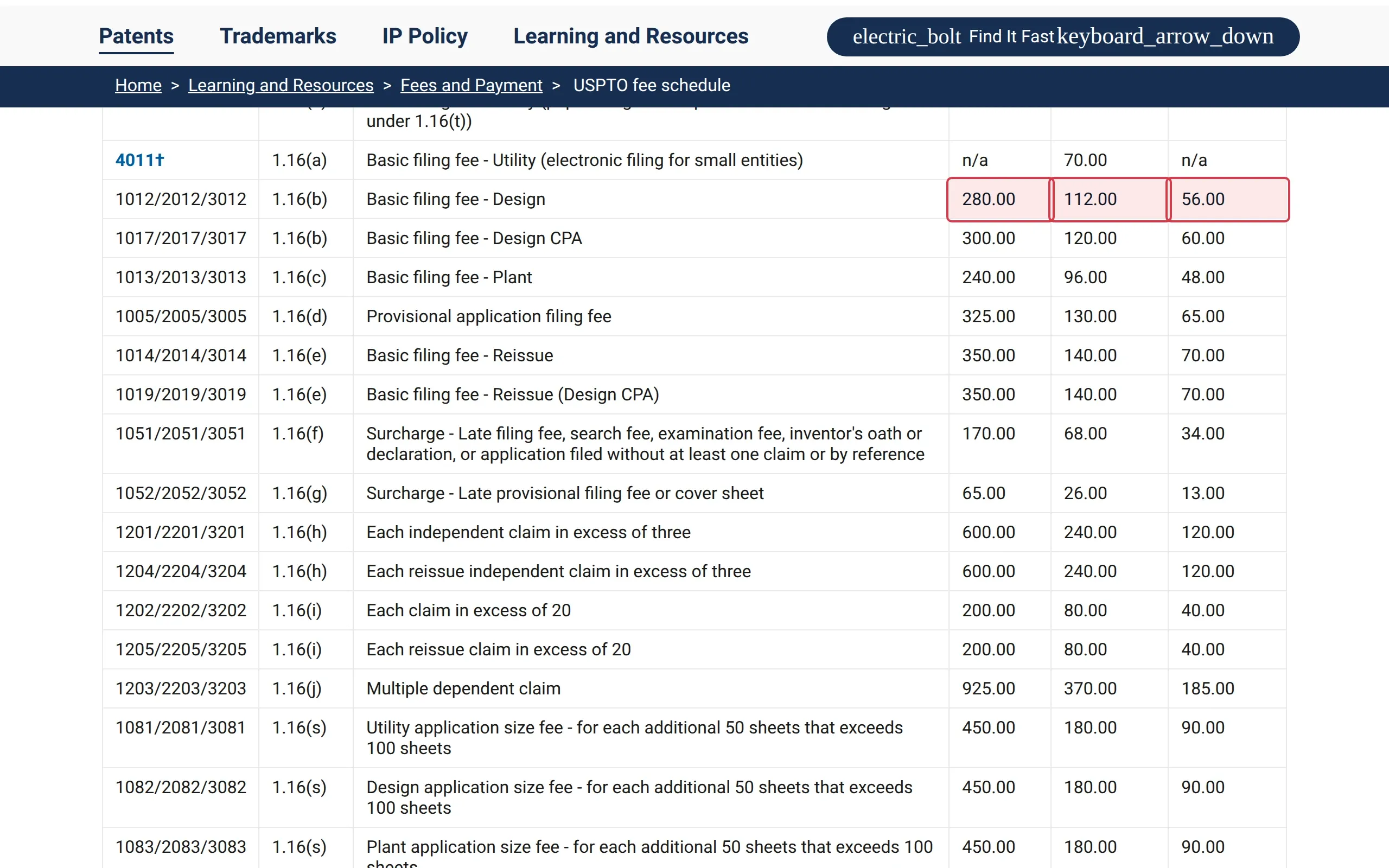
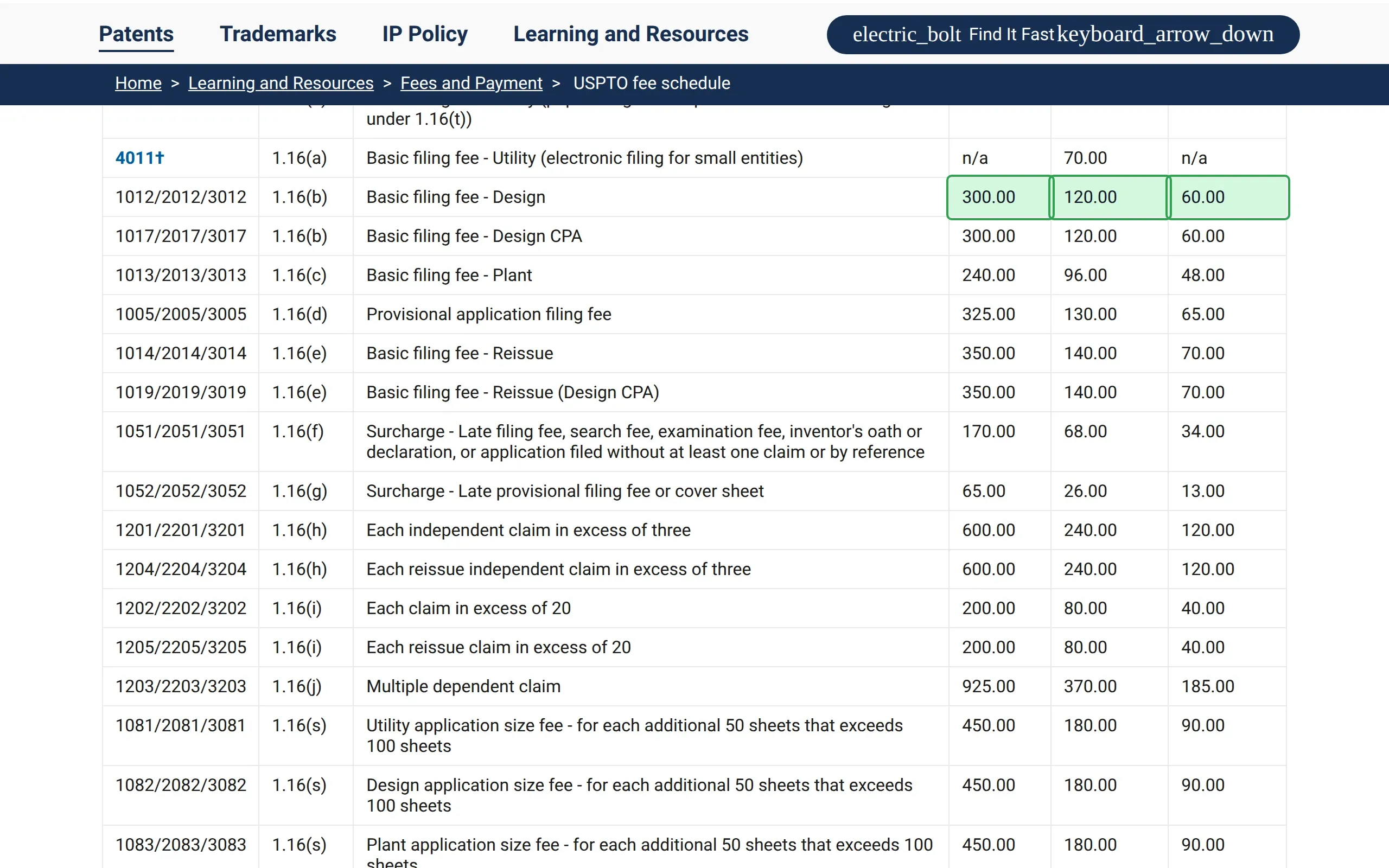
Design filing fee up from $280 to $300.

Every design application costs $20 more from now on, and quotes to clients have to follow.

How ChangeGuard helped

  • Comparison. Three numbers in one row of a schedule of more than 160 fees: the standard, small-entity and micro-entity amounts, all marked.
  • AI summary. Gives all three old and new amounts, so a client's quote can be updated straight away.
  • Rating. Likely substantial, so it comes first in the round-up, above anything reworded on the set's other pages.
The basic filing fee for a design application rose from $280 to $300 (small entity $112 to $120, micro entity $56 to $60). Drag the divider to see the previous version.

U.S. Securities and Exchange Commission · Press Releases (opens the page in a new tab)

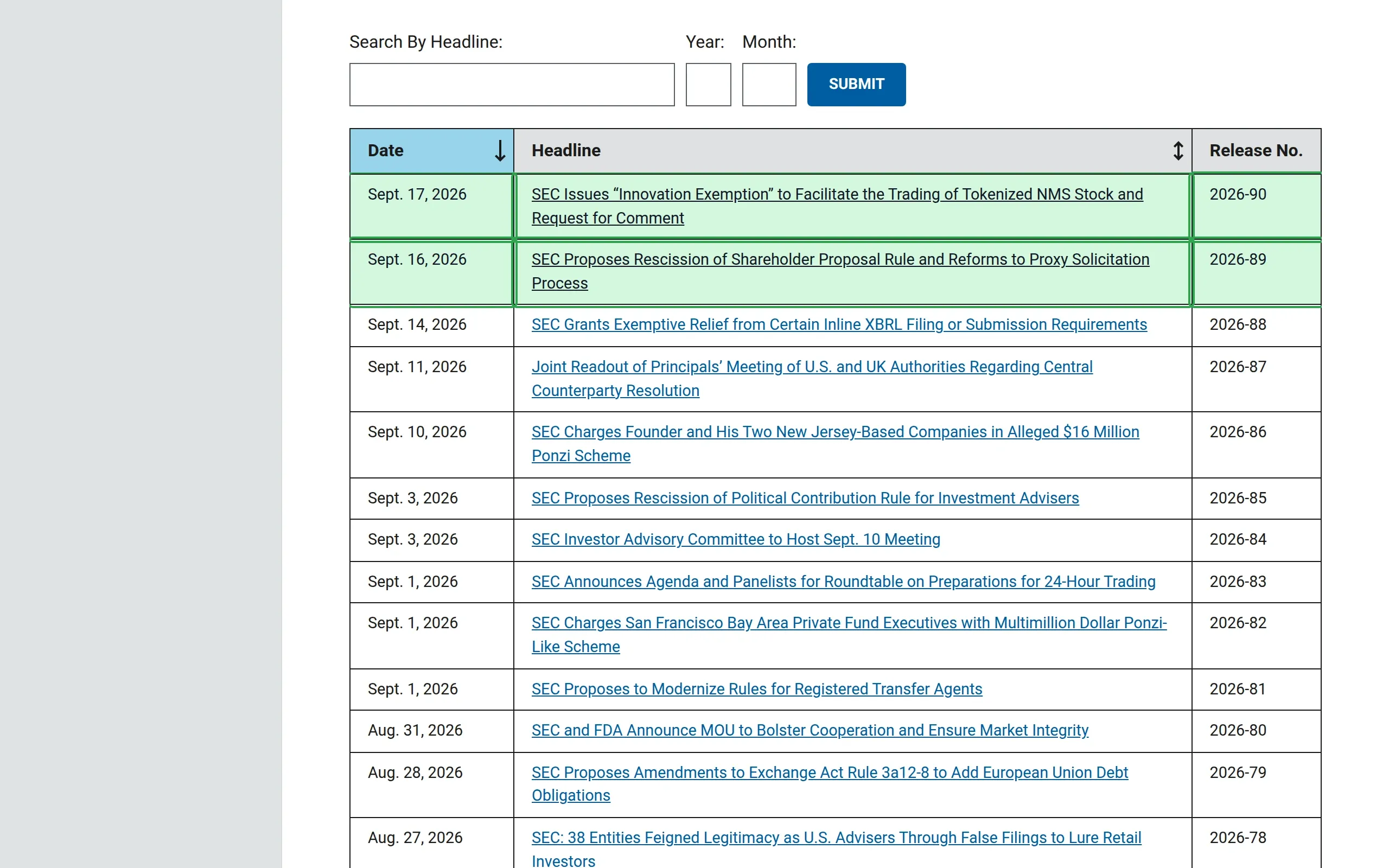
Two new press releases.

New releases the day they appear, with their titles, instead of in next week's newsletter.

How ChangeGuard helped

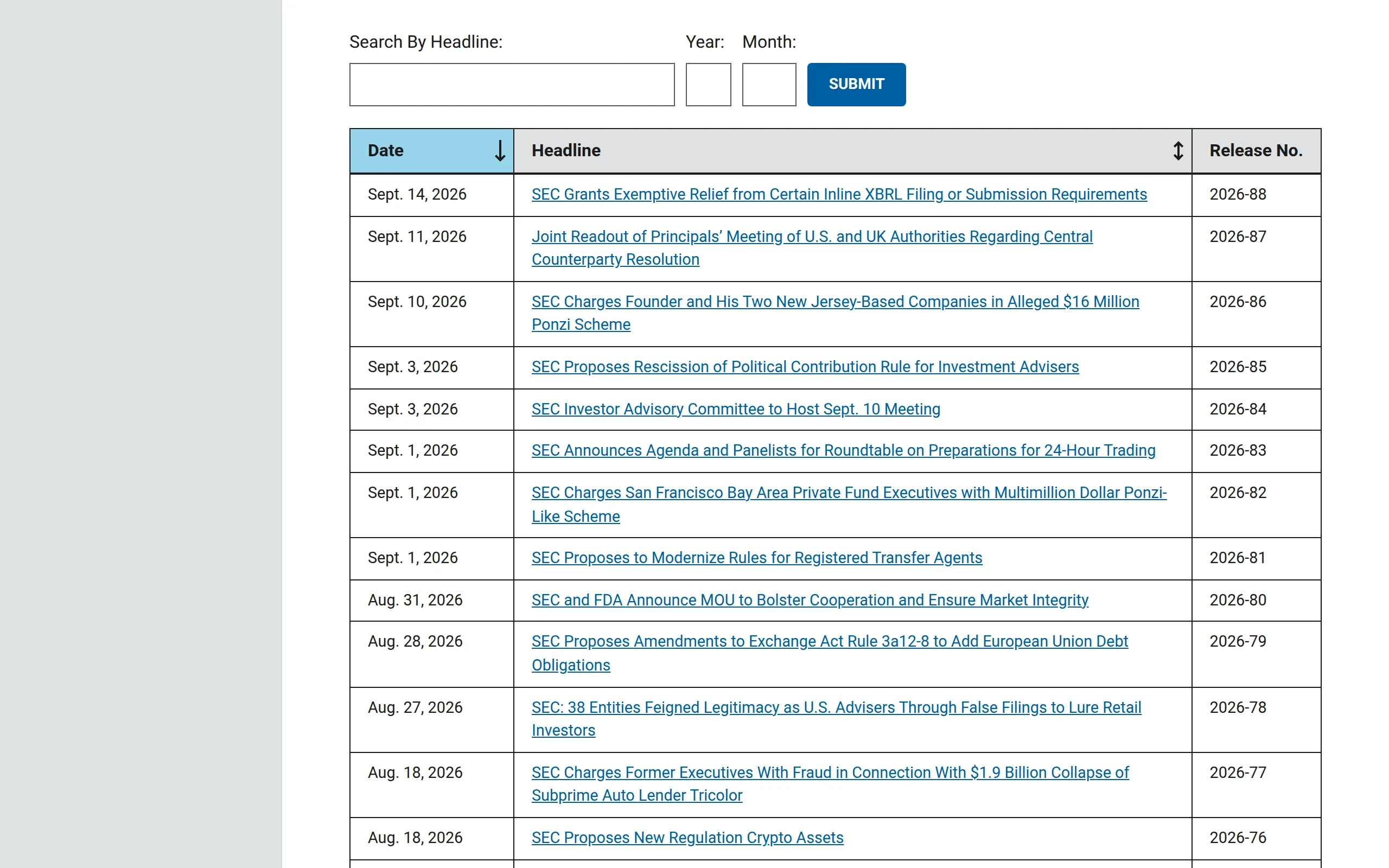
  • Comparison. Each new release is marked with its date, title and number, and nothing else on the page is.
  • AI summary. Quotes both titles, so you can tell which one concerns you before opening sec.gov.
Two new press releases appeared at the top of the list: “SEC Issues “Innovation Exemption” to Facilitate the Trading of Tokenized NMS Stock and Request for Comment” and “SEC Proposes Rescission of Shareholder Proposal Rule and Reforms to Proxy Solicitation Process”. Nothing else on the page changed. Drag the divider to see the previous version.

What ChangeGuard does

  • Watch the index page and be told when a new document appears, with its title and date.
  • A notice page that gained two entries shows two new entries, not edits of the old ones.
  • Sites that block automated visitors are read with a real browser, the way you would.
  • When you review a page, save the list of its new documents as a spreadsheet.

Start on Free , for a handful of pages; Starter for more.

Pages worth watching

Topics

Start with pages someone already picked.

A topic lists the public pages on this subject, each one checked by us, with the words that cause noise left out. Look at its pages in the app, pick the ones you want, and change anything after you add them.

Enforcement and public records

Inspectors general's reports and the enforcement actions and press releases of the agencies that bring cases.

10 pages checked daily with Team and up

See the whole list

Leaves out changes that only mention “advisory committee meeting”, “open meeting”, “workshop”, “webinar”.

To hear only about what matters to you, add keywords such as “settlement”, “civil penalty”, “consent order”, “indictment”, “fraud”.

See the Team plan

Topics come with Team and up: pick the pages you want in the app and add them to a new set or one you have. On Team already? Open this topic

See every topic No topic for your subject yet? Ask for a topic

Questions

Questions people ask

Can it watch a list of search results?

Yes, if the results have their own address, or by recording the search once. Each check compares the results with the last ones you reviewed.

Will I see the new document's name?

Yes. Each new PDF, Word document or Excel spreadsheet the page links to is listed with its title and the date it was first seen.

Can a team share the work?

Yes. Changes wait in one review queue that everyone in the workspace sees, and each one is marked reviewed once.

Other use cases

Your first five pages, free.

Create an account, add the pages you already check by hand, and run the first check yourself.