Skip to content
ChangeGuard

Procurement, vendor management and finance

Supplier price and plan change monitoring: Know when a supplier changes a price, a limit or a plan.

Supplier price lists, plan limits and service status change between your reviews, and the invoice is the first you hear of it.

Ignore the parts that always change, keep the price table, and get a round-up on your own schedule.

Free for 5 pages. No card needed.

What a check caught

GitHub · Pricing · Plans for every developer (opens the page in a new tab)

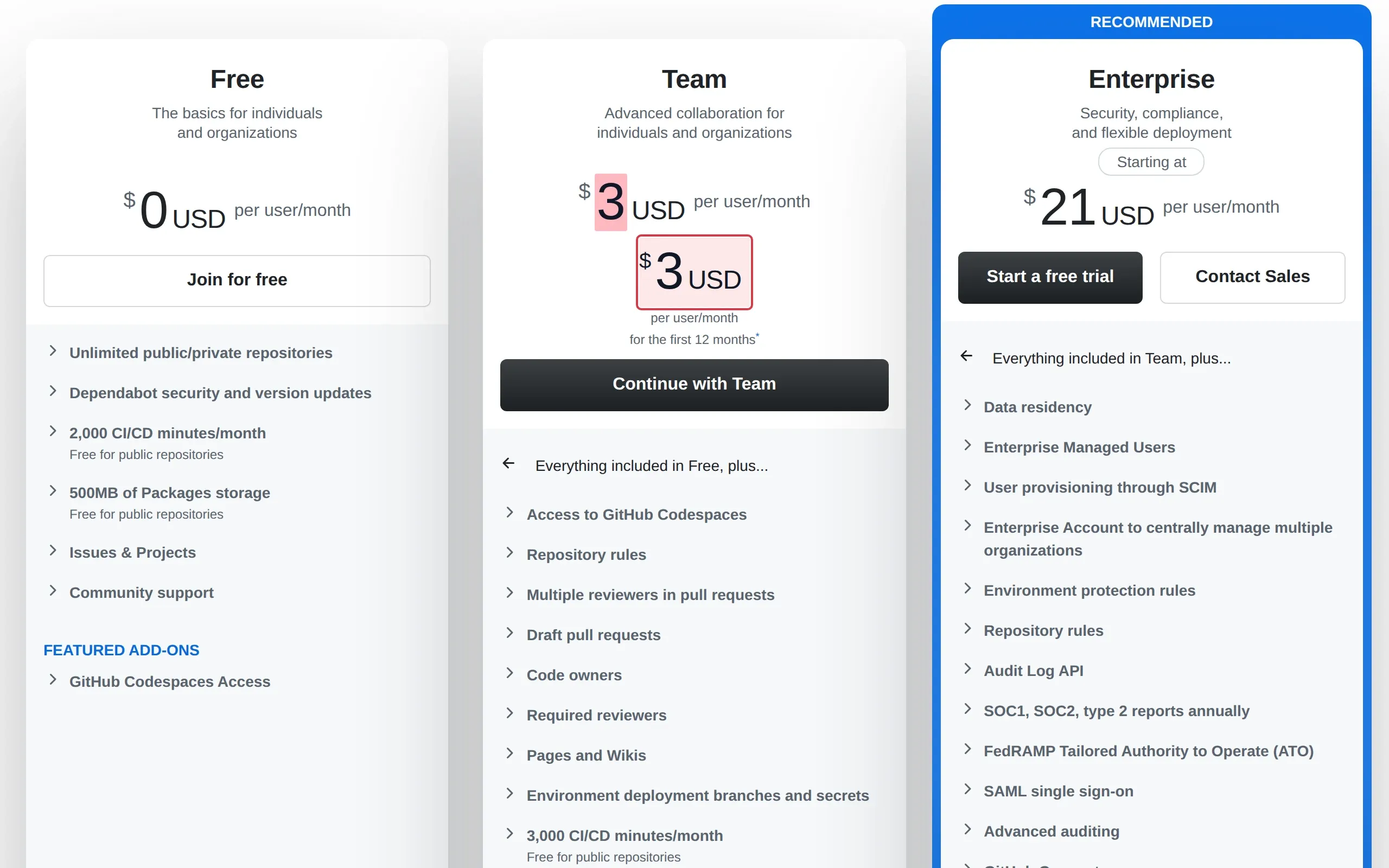
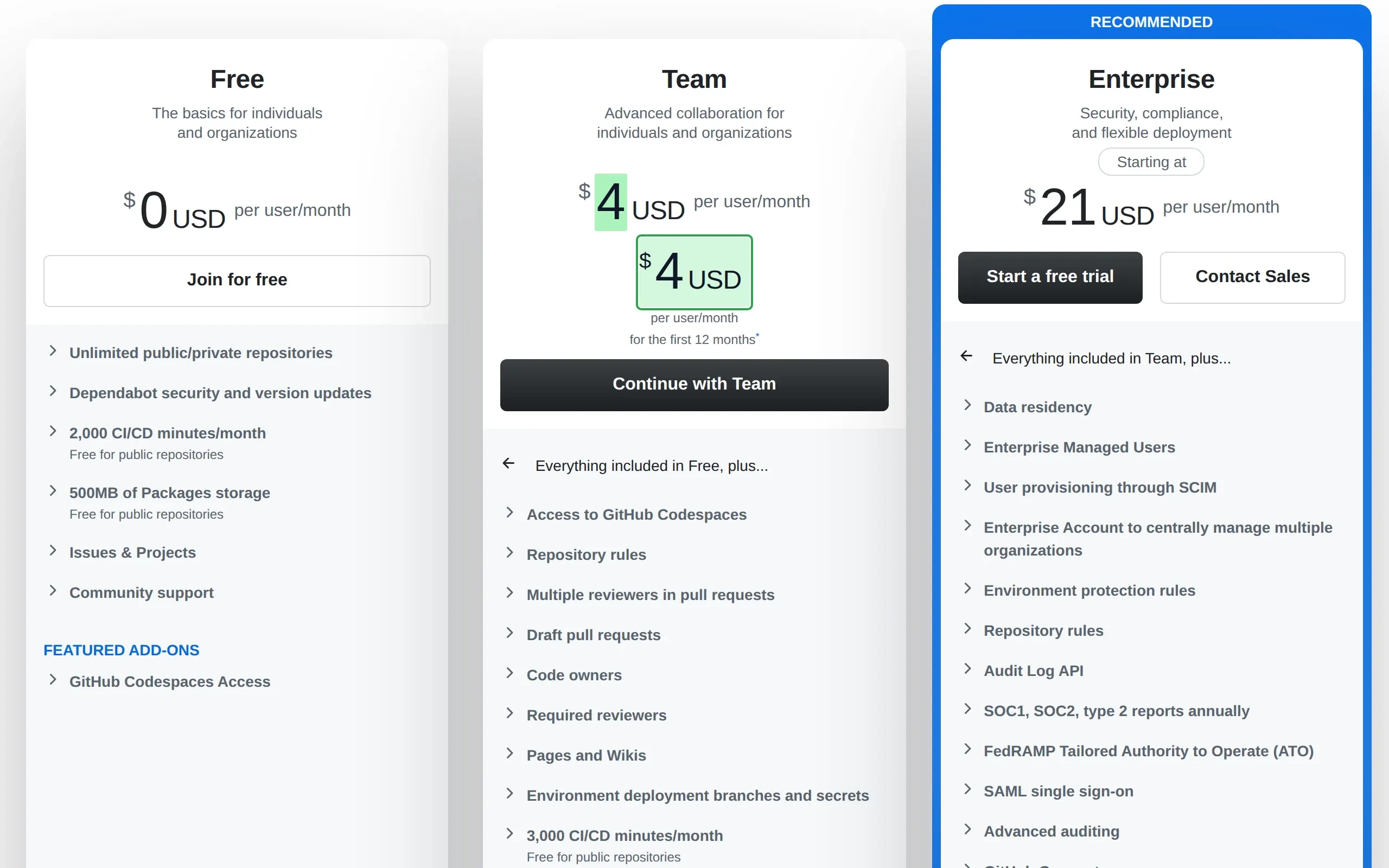
Team plan up from $3 to $4 a user.

A third more per person, on a bill that grows with every hire.

How ChangeGuard helped

  • Comparison. The new price is marked everywhere it appears, on the plan card and in the comparison table further down.
  • Keywords. Watched for “per user”, so a change in what each person costs is flagged, while the feature lists can be reworded without a sound.
  • AI summary. Puts the old and the new price side by side, the number a renewal budget needs.
The Team plan went from $3 to $4 per user a month, in the plan card and in the comparison table. Drag the divider to see the previous version.

What ChangeGuard does

  • Leave out the parts that always change, such as promotions and dates, and keep the price table.
  • A rating for every change, so a price rise is never buried under a reworded banner.
  • A round-up on your own schedule, or an email as soon as a check finds a price change.
  • Workspaces keep departments apart while sharing one plan.

Start on Team , $149 a month, for 400 pages and up to three workspaces.

Pages worth watching

Topics

Start with pages someone already picked.

A topic lists the public pages on this subject, each one checked by us, with the words that cause noise left out. Look at its pages in the app, pick the ones you want, and change anything after you add them.

Cloud and software pricing

The public pricing pages of common cloud and software vendors.

13 pages checked daily with Team and up

See the whole list

To hear only about what matters to you, add keywords such as “price increase”, “per user”, “free tier”, “new plan”, “discontinued”.

See the Team plan

Topics come with Team and up: pick the pages you want in the app and add them to a new set or one you have. On Team already? Open this topic

Bid lettings and addenda

State transportation departments' lettings and the addenda to their bids, where a new amendment shows up before bids open.

9 pages checked daily with Team and up

See the whole list

Leaves out changes that only mention “lane closure”, “travel advisory”, “webcast”.

To hear only about what matters to you, add keywords such as “addendum”, “amendment”, “postponed”, “bid opening”, “pre-bid”.

See the Team plan

Topics come with Team and up: pick the pages you want in the app and add them to a new set or one you have. On Team already? Open this topic

See every topic No topic for your subject yet? Ask for a topic

Questions

Questions people ask

Pricing pages change all the time. Won't I be flooded?

List words to ignore, such as a promotion's name, and changes that only mention them are set aside. You can also skip changes smaller than a size you choose, or watch only the price table.

Can it watch prices behind a supplier's sign-in?

Yes. Record the sign-in and the clicks once, and every check repeats them before it reads the page. The password is encrypted and never shown again.

Does it read prices inside a PDF price list?

It lists each new PDF with its title and the date it was first seen. It does not read what is written inside the PDF.

Other use cases

Your first five pages, free.

Create an account, add the pages you already check by hand, and run the first check yourself.